Introduction:
Today, lead generation has changed. Instead of manual outreach, businesses now rely on automation and smart systems.
Because of this shift, PhantomBuster has become a powerful tool.
In simple terms, it helps you:
- Find leads
- Collect data
- Automate outreach
However, many users fail. Why? Because they use it as a tool instead of a system.
So, in this guide, you will learn how to use PhantomBuster the right way.
Related blogs:
What is PhantomBuster?
First of all, PhantomBuster is a cloud-based automation platform.
It uses small programs called Phantoms to perform tasks automatically.
For example, it can work with:
- Twitter (X)
Key Features
- Extract leads from LinkedIn
- Send automated actions
- Enrich profile data
- Export data to tools like HubSpot
As a result, it saves time and improves efficiency.
How PhantomBuster Works

Now, let’s understand how it works.
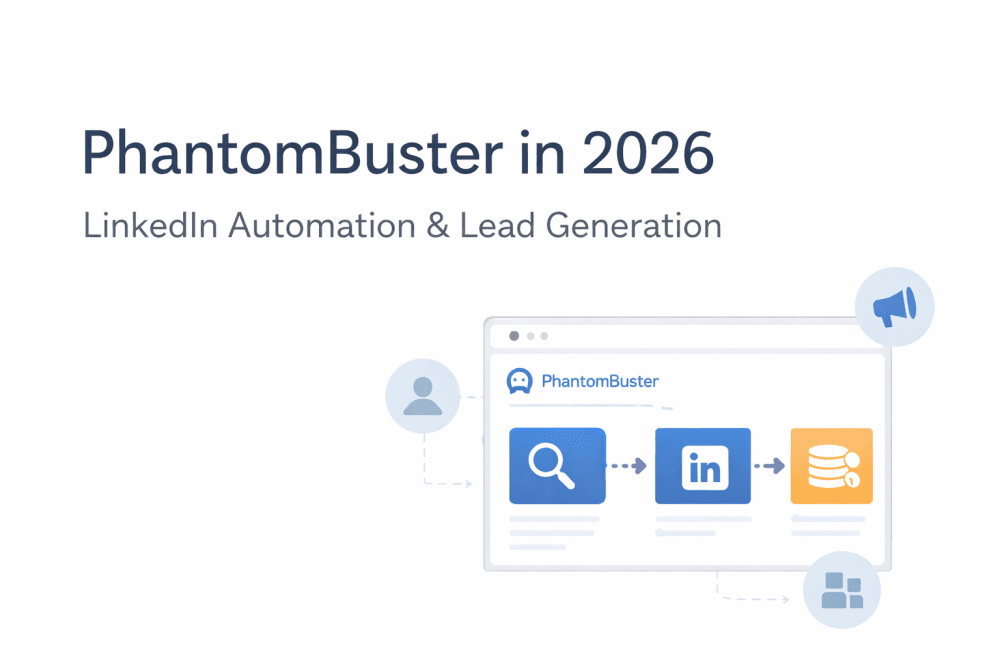
PhantomBuster follows a simple 3-step process:
- Input – You provide a source (like a LinkedIn search URL)
- Process – The Phantom runs and collects data
- Output – Data is sent to Google Sheets or a CRM
Because of this structure, you can build complete lead generation systems, not just one-time tasks.
The Best Workflow: Competitor Engagement Loop

Next, let’s look at a powerful strategy.
Instead of targeting random people, you target users already engaging with your competitors.
Steps
- Find competitor posts
- Extract users who liked or commented
- Collect profile data
- Send personalized requests
- Save leads to your CRM
Why This Works
- First, users are already interested
- Then, engagement signals show intent
- Finally, conversion rates improve
Therefore, this method is called intent-based prospecting, and it works very well in 2026.
How to Export LinkedIn Leads to HubSpot

Now, let’s solve a common problem.
Steps
- Use LinkedIn Search Export Phantom
- Connect PhantomBuster to Zapier or a webhook
- Map data fields to HubSpot
- Enable automatic sync
Important Tip
Focus on:
- Recently active users
- Hiring companies
This way, your leads are more valuable.
Safety Guide: Avoid LinkedIn Restrictions

At the same time, safety is very important.
If you misuse automation, your account can get restricted.
Safe Limits (2026)
- Connections: 20–30 per day
- Messages: 50–70 per day
- Profile visits: 80–100 per day
Best Practices
- First, start slowly
- Then, increase activity gradually
- Also, add delays between actions
- Finally, personalize messages
As a result, your account stays safe.
PhantomBuster vs Alternatives
| Feature | PhantomBuster | TexAu | Apollo.io |
|---|---|---|---|
| Core Strength | Flexible automation | Easy workflows | Data platform |
| Ease of Use | Moderate | Easy | Easy |
| Best For | Custom workflows | Beginners | Sales teams |
| Cloud-Based | Yes | Yes | Yes |
Conclusion
- Choose PhantomBuster for flexibility
- Choose TexAu for simplicity
- Choose Apollo.io for built-in data
PhantomBuster vs TexAu (Simple Comparison)
PhantomBuster
- More control
- More customization
- Slightly harder to learn
TexAu
- Easier to start
- Ready-made workflows
- Less flexible
So, many users begin with TexAu and later switch to PhantomBuster.
Trends You Should Know (2026)
1. AI Lead Scoring
Now, AI helps you find better leads faster.
2. Zero-Click Lead Generation
You can collect data without visiting profiles.
3. Intent-Based Targeting
Instead of job titles, focus on behavior.
Because of these trends, automation is becoming smarter.
Real Insight from Users
Many users say:
Targeting engaged users works better than cold outreach.
Therefore, always focus on people already interacting with content.
Best Use Cases
PhantomBuster works best for:
- Lead generation
- Agency outreach
- Founder sales
- Market research
- Competitor analysis
FAQs
Is PhantomBuster safe?
Yes, but only if you follow limits and best practices.
Can it replace a CRM?
No. It works together with CRMs.
Is it beginner-friendly?
It is moderately easy but requires some learning.
What is the best workflow?
The competitor engagement loop.
Final Verdict
Overall, PhantomBuster is a powerful tool.
However, success depends on how you use it.
If you:
- Follow safe limits
- Build proper workflows
- Focus on intent
Then, it can become a strong growth system.