Introduction
In recent years, UiPath Robotic Process Automation has transformed how organizations automate repetitive tasks and digital workflows. Initially, RPA technology focused mainly on mimicking human actions such as copying data between applications, generating reports, and processing invoices. However, automation technology has evolved rapidly. As a result, modern RPA platforms now integrate artificial intelligence, machine learning, and advanced orchestration capabilities.
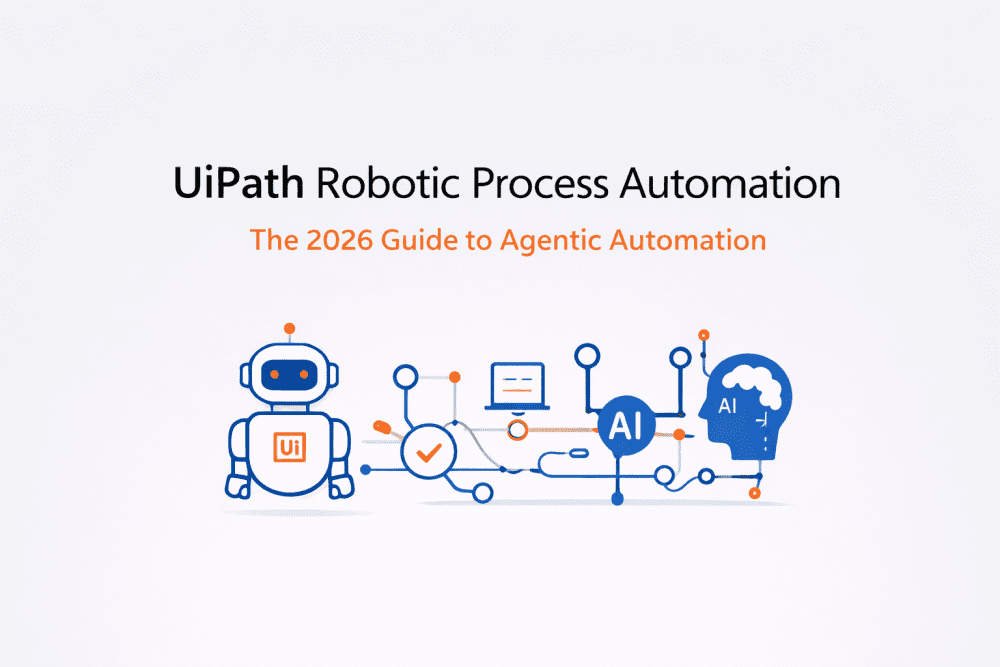
By 2026, the automation landscape has shifted toward Agentic Automation, where AI-powered agents collaborate with automation robots to perform complex workflows. Consequently, businesses no longer rely only on simple task automation. Instead, they build intelligent automation ecosystems capable of adapting to changing business environments.
UiPath has positioned itself at the center of this transformation. Therefore, companies across industries now use the UiPath platform to create scalable automation solutions that combine AI agents, intelligent document processing, and human-in-the-loop workflows.
In this guide, we will explore how UiPath Robotic Process Automation evolved, examine its key components, and understand why it continues to lead the enterprise automation market.
Related blogs:
The Evolution of UiPath Robotic Process Automation

Traditional robotic process automation initially focused on rule-based workflows. In other words, bots performed repetitive digital tasks by following predefined instructions.
For example, early automation systems could:
- Extract data from spreadsheets
- Log into enterprise applications
- Transfer data between systems
- Generate automated reports
Although these capabilities significantly improved productivity, they still had limitations. Whenever user interfaces changed or business rules evolved, automation workflows often broke. Consequently, organizations required continuous maintenance and manual oversight.
To overcome these challenges, UiPath introduced AI-powered automation capabilities.
As a result, modern automation systems now incorporate:
- Machine learning models
- Natural language processing
- Intelligent document understanding
- AI-driven workflow orchestration
Today, UiPath Robotic Process Automation supports agentic orchestration, where multiple AI agents collaborate with bots to execute tasks dynamically.
The Key Automation Shift
Traditional RPA
➡ Static bots executing fixed rules
Agentic Automation
➡ Intelligent agents coordinating workflows autonomously
Therefore, organizations can now automate processes involving unstructured data, complex decision-making, and cross-platform operations.
Core Components of the UiPath Automation Platform
The UiPath Robotic Process Automation platform is built around three primary components that enable enterprise automation.
UiPath Studio – Automation Development Environment
First, UiPath Studio provides the development environment where automation workflows are created. Unlike traditional programming tools, Studio uses a visual drag-and-drop interface. Consequently, even non-programmers can design automation processes.
Key features include:
- Visual workflow designer
- Reusable automation components
- Built-in debugging tools
- API integrations
- Automation testing capabilities
Furthermore, developers often rely on the REFramework (Robotic Enterprise Framework) to build scalable automation solutions. This framework provides standardized project architecture, exception handling, and transaction management.
As a result, enterprise automation workflows become easier to maintain and scale.
UiPath Orchestrator – Centralized Automation Management
While Studio focuses on development, UiPath Orchestrator manages automation processes across the organization.
Specifically, Orchestrator allows companies to:
- Deploy automation robots
- Schedule automation workflows
- Monitor bot performance
- Manage security credentials
- Maintain governance and compliance
Moreover, Orchestrator enables governance-as-code, which ensures automation workflows follow enterprise security policies. Consequently, organizations can deploy large-scale automation programs without compromising data security.
Autopilot for UiPath – AI-Powered Automation Assistant
Another major innovation in UiPath Robotic Process Automation is Autopilot, an AI-powered assistant designed to simplify automation development.
Instead of manually designing every workflow step, users can describe automation tasks using natural language.
For example, a developer might prompt:
“Create an automation that extracts invoice data and uploads it into an ERP system.”
Autopilot then generates a workflow structure automatically. Therefore, automation development becomes significantly faster and more accessible.
Additionally, Autopilot helps developers by:
- Suggesting workflow optimizations
- Debugging automation errors
- Generating reusable automation components
- Accelerating automation design
Advanced Features in UiPath Automation
Self-Healing Automation Bots
Previously, automation bots frequently failed when application interfaces changed. However, modern UiPath automation systems include self-healing automation capabilities.
AI-powered selectors detect interface changes and automatically adjust automation workflows.
Consequently, organizations experience:
- Reduced automation downtime
- Lower maintenance costs
- Improved workflow reliability
In many cases, self-healing bots reduce failures by up to 40 percent.
Multi-Agent Systems in Automation
Another emerging innovation is the use of multi-agent systems (MAS) within enterprise automation environments.
Instead of relying on a single bot, multiple AI agents collaborate to complete complex tasks.
For instance, an automated invoice workflow may involve:
- Document AI agent extracting invoice data
- Validation agent verifying financial information
- Automation bot entering data into ERP software
- Reporting agent generating analytics dashboards
Therefore, distributed automation architectures improve both scalability and performance.
Intelligent Document Processing (IDP)
Modern organizations deal with massive volumes of documents such as invoices, contracts, and compliance records.
To address this challenge, UiPath Robotic Process Automation integrates Intelligent Document Processing (IDP).
IDP uses artificial intelligence to extract structured data from unstructured documents.
Typical applications include:
- Invoice automation
- Healthcare record processing
- Insurance claims management
- Financial compliance reporting
Consequently, companies can automate previously manual document-heavy processes.
UiPath vs Other Automation Platforms
| Feature | UiPath | Microsoft Power Automate | Automation Anywhere |
|---|---|---|---|
| Enterprise Governance | Strong | Moderate | Strong |
| AI Integration | Advanced AI Agents | Microsoft Copilot | Moderate |
| Developer Community | Very Large | Large | Moderate |
| Document Processing | Native IDP | Requires AI Builder | Built-in |
| Enterprise Automation | Industry Leader | Microsoft Ecosystem | Competitive |
Although Microsoft Power Automate integrates well with Microsoft products, UiPath Robotic Process Automation remains stronger in enterprise-scale automation governance and advanced orchestration capabilities.
Career Opportunities in UiPath Automation
As automation adoption increases, demand for RPA professionals continues to grow. Consequently, companies actively recruit specialists who can design and manage enterprise automation systems.
Common job roles include:
- UiPath RPA Developer
- Automation Consultant
- Intelligent Automation Engineer
- UiPath Solution Architect
UiPath Certifications in 2026
Professionals interested in automation careers can pursue several certifications.
Popular certification tracks include:
- UiPath Certified RPA Associate
- UiPath Advanced RPA Developer
- UiPath Solution Architect Professional
These certifications validate expertise in automation architecture, workflow design, and enterprise automation deployment.
Best Practices for UiPath Developers
Developers entering the automation field should follow several best practices.
Learn the REFramework Architecture
REFramework enables developers to design robust automation solutions with built-in exception handling and retry mechanisms.
Use Human-in-the-Loop Automation
Not every workflow should be fully automated. Instead, organizations should integrate human oversight into sensitive processes.
Focus on Document Automation
Document-heavy workflows represent one of the largest automation opportunities today.
Frequently Asked Questions
How is UiPath different from Selenium?
Selenium focuses primarily on web application testing automation. In contrast, UiPath Robotic Process Automation is designed for enterprise workflow automation across multiple systems.
What is the difference between attended and unattended robots?
Attended robots
- Work alongside human users
- Triggered by manual actions
- Common in desktop automation
Unattended robots
- Operate autonomously
- Scheduled using Orchestrator
- Used for backend enterprise workflows
Is UiPath considered an AI company?
Originally, UiPath focused on robotic process automation. However, the company now integrates artificial intelligence extensively through document AI, agentic automation, and AI-driven orchestration tools.
Conclusion
The future of UiPath Robotic Process Automation extends far beyond basic task automation. As automation technologies evolve, businesses increasingly rely on AI-driven automation platforms capable of autonomous decision-making and intelligent workflow orchestration.
Consequently, UiPath continues to lead the automation industry by combining robotic automation, artificial intelligence, and agentic workflows.
Organizations that adopt these technologies can significantly improve productivity, reduce operational costs, and build scalable digital operations.
Therefore, learning UiPath automation today prepares professionals and businesses for the next generation of AI-powered enterprise automation.